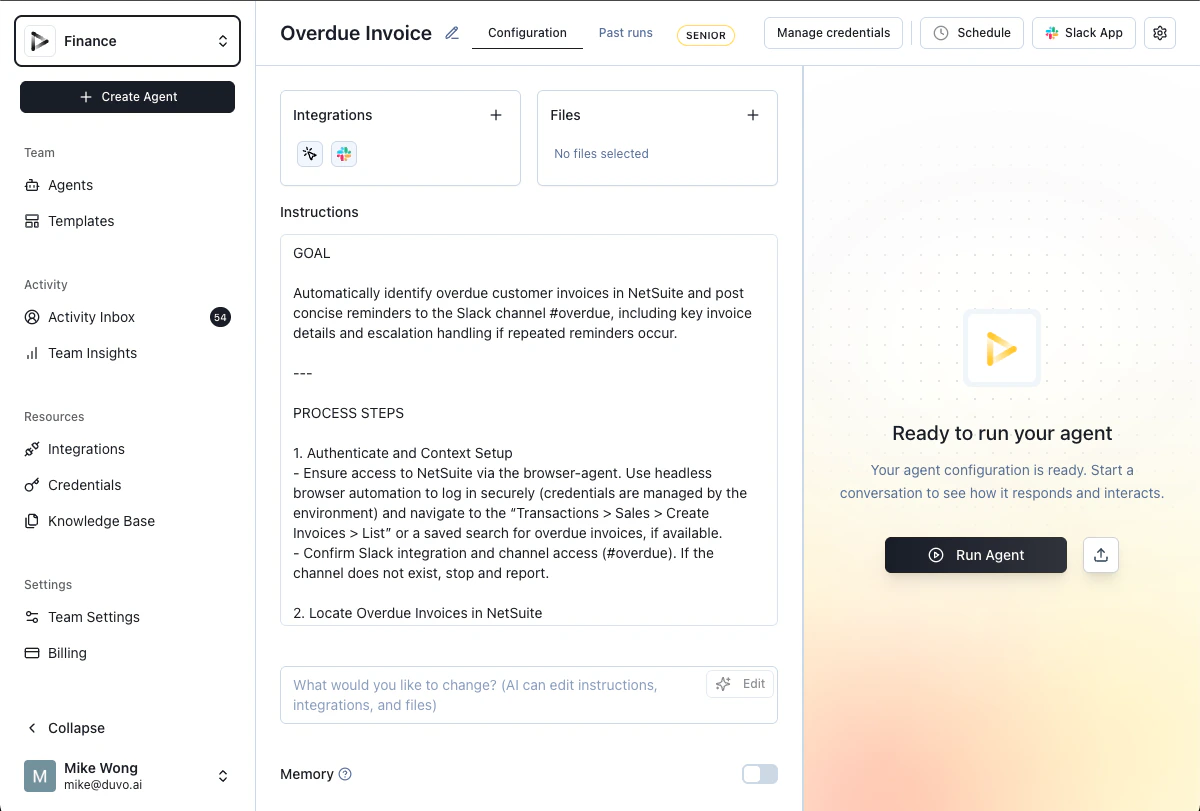
| SOP (Standard Operating Procedure) | Defines what the assignment does, when it acts, and how it handles different situations. These are the detailed rules that guide your assignment’s behavior and decision-making. |
| Connections | Allow the assignment to access your systems on your behalf. For example, if the assignment needs to send an email, it uses your email logins to compose and send it as if you wrote it yourself. All logins are stored securely and encrypted. |
| My Logins | When you make your logins available to DUVO via our secure vault, the assignment can log into your systems (email, ERP, CRM, spreadsheets, or any other tool) just as you would. |
| Files | Provide the assignment with reference information it needs to complete tasks. You can upload documents, conversion tables, pricing guides, company policies, standard operating procedures, or any other reference materials the assignment should consult. For example, if your assignment needs to apply different shipping rates based on zones, you can add a rate table to the files for the assignment to reference. |
| Browser automation | Enables the assignment to work with any web-based system, even those without traditional API connections. This is particularly valuable for internal business systems, legacy applications, or specialized tools that are critical to your operations but still require manual interaction. The assignment can navigate these systems through the browser just like you would—clicking, typing, and filling out forms. |
| Human-in-the-loop controls | Provide approval points where you review and authorize actions before the assignment executes them. You decide which actions require your oversight and which can run automatically. |
| Audit trail | Provides complete logs of everything your assignment does, ensuring transparency and compliance. You can always see exactly what actions were taken, when, and using which logins. |